Arsip Surat Masuk: Automated Mail Archiving System
A Telegram bot, desktop app, and web archive working together to log incoming government mail, with Gemini Vision OCR auto-filling every record.
Role
Full-Stack Developer (Solo Project)
Timeline
2026
Platform
Desktop (Windows) + Telegram Bot + Web
The Problem
I handle incoming mail for government social assistance programs (Sembako and PKH) at my office. Every letter needs to be logged: date, letter number, subject, sending agency, then filed and cross-referenced against past correspondence so anyone can later check whether it's been replied to. Done by hand, a batch of 20 letters took me 1-2 hours.
Build a system that takes a photo of a letter and turns it into a fully logged, properly filed archive entry, with as little manual typing as possible, and make it usable from wherever staff happen to be: at their desk, on their phone, or away from the office entirely.
How It Works
The system runs on a dedicated office PC that I've turned into a small always-on server, with three ways in.
Telegram Bot Intake
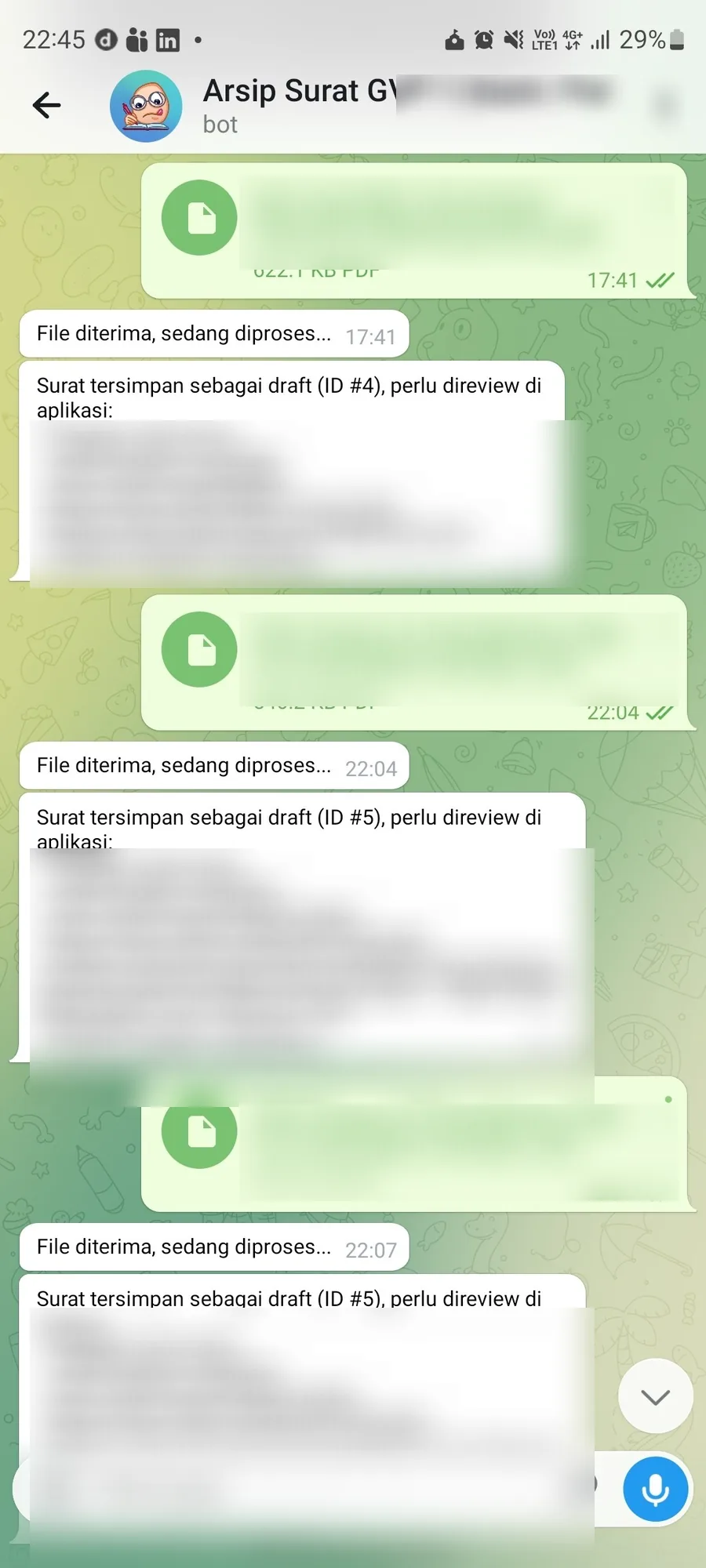
I, or another staff member, send a photo of an incoming letter straight to a Telegram bot. The bot forwards it to the server, which runs it through Google Gemini Vision for OCR and extracts the letter date, number, subject, and sending agency automatically. Access is whitelisted: only registered Telegram accounts can use the bot, since it touches government correspondence.
Desktop App for Direct Review
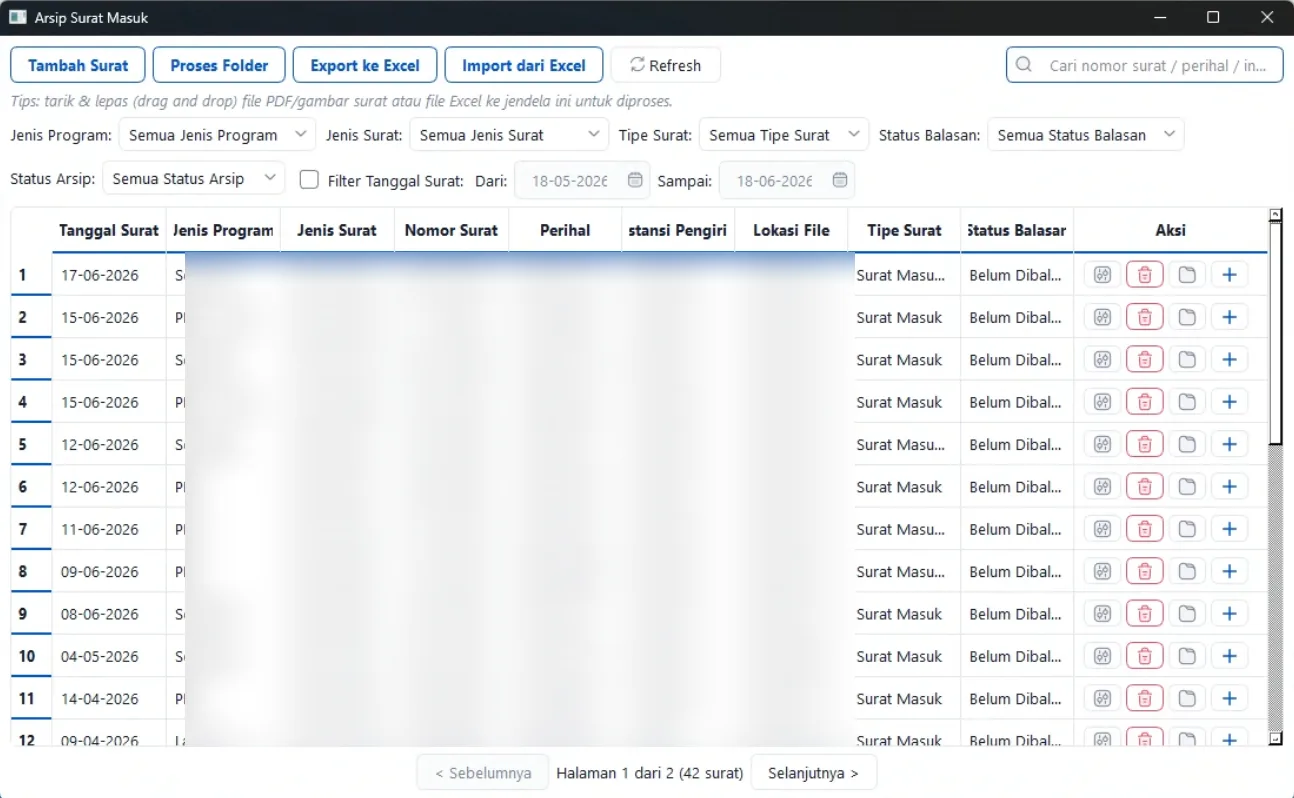
A PySide6 desktop app gives me a faster path for batch work: pick a single file or an entire folder, and each one gets OCR'd and queued for review. Extracted fields show up in an editable form before anything is saved, so OCR mistakes get caught instead of silently entering the record.
Web Archive for the Whole Office
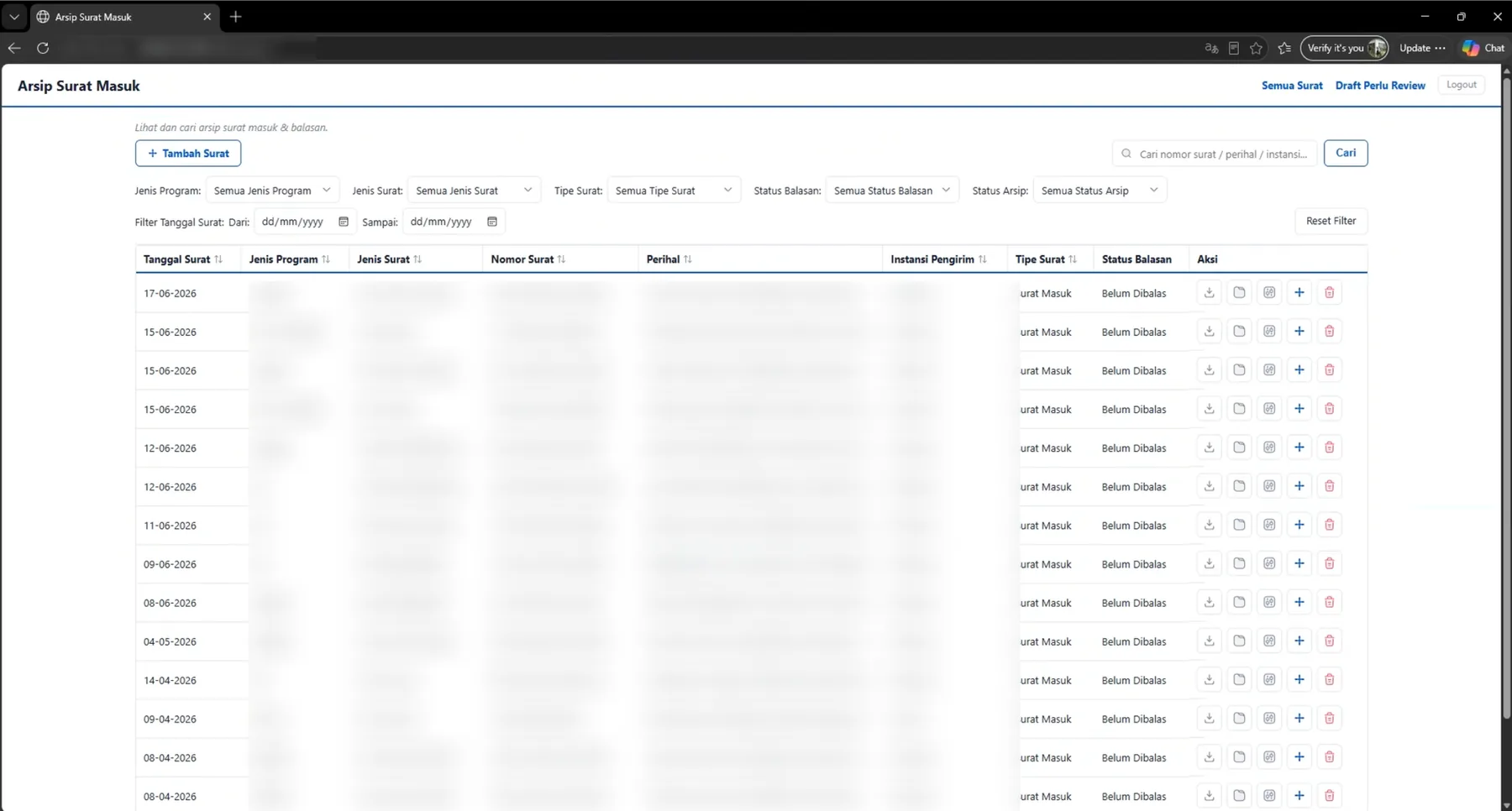
Other staff don't need to install anything. They open the server's IP address in a browser and get a searchable, filterable view of every archived letter, including reply status, without touching the bot or the desktop app at all.
Design Approach
Status Visible at a Glance
The most common question staff ask is "has this been replied to yet?" Reply status is colour-coded across every view (bot reply, desktop table, web list) so it never requires opening a record to check, with text labels alongside colour for anyone checking on a low-quality monitor or with colour blindness.
Color With Meaning, Not Decoration
Blue is reserved for primary actions and navigation, red only ever appears on destructive actions like delete, and everything else stays neutral. The interface had to read as "government office," not consumer software, so I avoided playful colour, illustration, or gamification.
Structured Filing, Automatically
Every saved letter is filed into tahun/program/jenis surat/nomor - perihal on disk, generated automatically from the extracted fields. Staff never decide where a file goes; the system decides for them, consistently, every time.